






Overview
Comparisons let you view two team members' personality results side-by-side. The feature helps you understand how different team members complement each other, identify potential areas of friction, and build more effective working relationships.
When you create a comparison, TraitLab Pro generates a comprehensive report showing how two individuals differ across multiple dimensions of personality. Each comparison includes visual charts that make it easy to spot significant differences and similarities at a glance.
Eligibility for comparisons
Not all team members are automatically eligible for comparisons. To be included in comparisons, a team member must meet the following requirements.
- Sharing enabled. The team member must have been invited with an invitation or invite code that had the Sharing option enabled. This setting determines whether the member's results can be viewed and compared by the account administrator.
- Completed assessment. The team member must have completed their personality assessment.
- Confirmed email. The team member must have confirmed their email address.
To include a team member in comparisons, enable the Sharing option when creating their invitation or invite code. This setting cannot be changed after the invitation has been sent or the invite code has been used.
Creating a comparison
To create a new comparison:
- Navigate to the Comparisons page from the sidebar menu
- Select the first team member from the dropdown
- Select the second team member from the dropdown
- Click the "Compare" button
You can also start a comparison directly from a team member's profile page by selecting another member from the "Compare to..." dropdown in the header.
Comparison areas
Each comparison includes four key areas that provide a comprehensive view of how two team members differ. In addition to visual charts, each area includes detailed descriptions to help you understand the practical implications of the similarities and differences in a work setting.
Personality traits
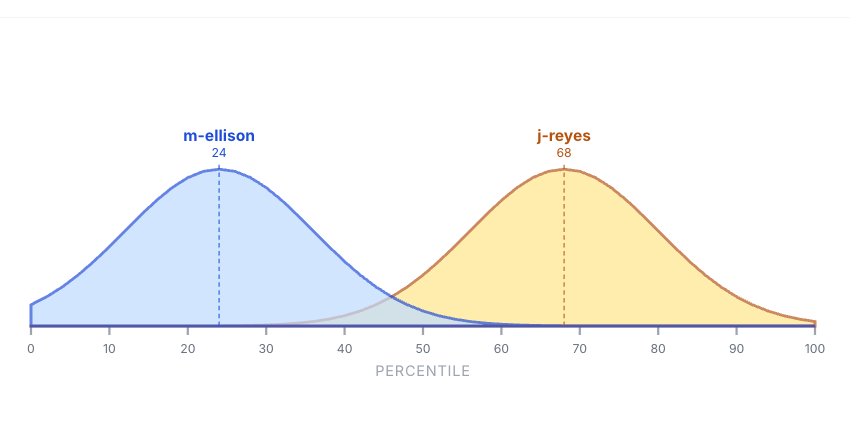
The Traits comparison shows how two team members differ on the Big Five personality dimensions: Openness, Conscientiousness, Extraversion, Agreeableness, and Neuroticism. Each trait is displayed with a density curve visualization that makes it easy to see where each person falls on the spectrum.
Strengths
The Strengths comparison highlights each team member's unique positive qualities and capabilities. This view helps you understand what each person brings to the team and how their strengths might complement each other.
Working style
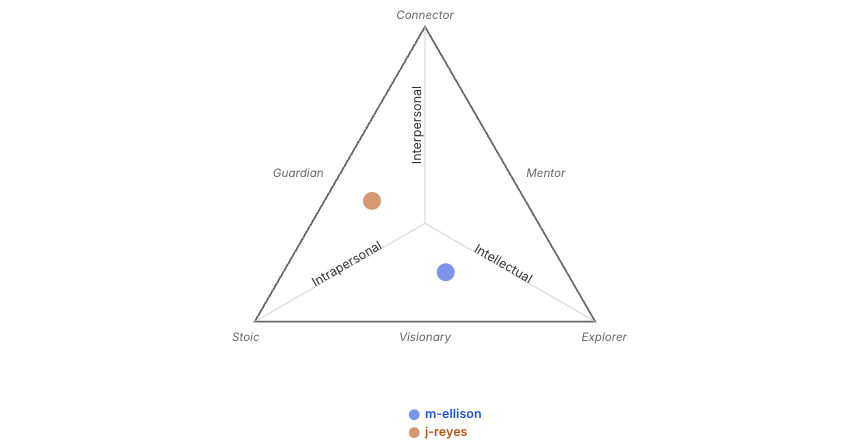
The Working Style comparison reveals how each person prefers to work, learn, and solve problems. Understanding these differences can help you assign tasks more effectively and create better collaboration opportunities.
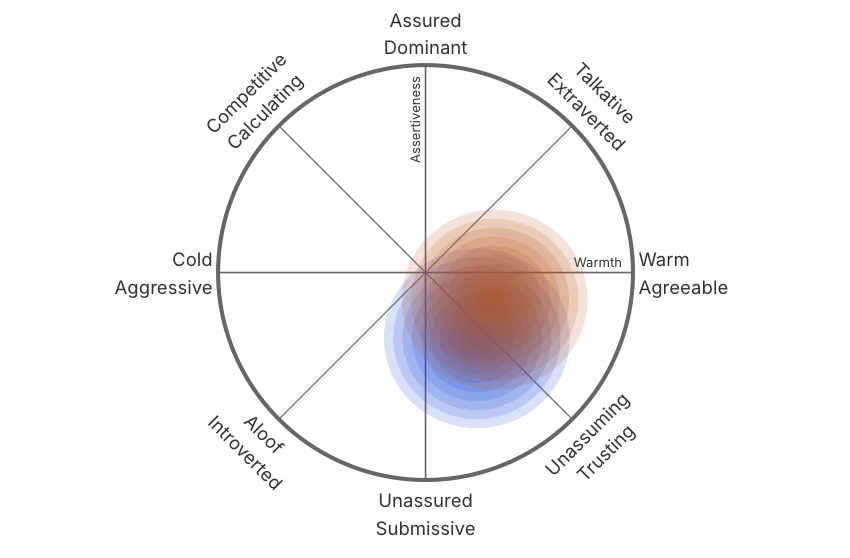
Interpersonal style
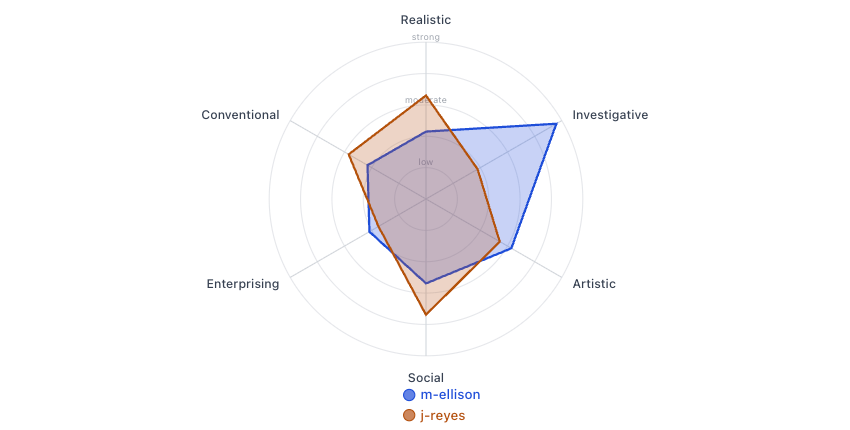
The Interpersonal Style comparison shows how team members naturally interact and communicate with others. This information is valuable for improving team communication and managing potential conflicts.
Using comparisons effectively
A few ways to get the most out of the Comparisons feature.
- Team pairing. Use comparisons to identify complementary personalities when forming project teams or assigning mentorship pairs.
- Conflict resolution. When team members have communication challenges, a comparison can help identify personality differences that may be contributing to misunderstandings.
- Onboarding. Compare new team members with their managers or teammates to help everyone understand how to work together effectively from the start.
- Career development. Compare team members with successful peers in similar roles to identify areas for growth and development.